How to Make an AI Santa Dance Video
Last updated:
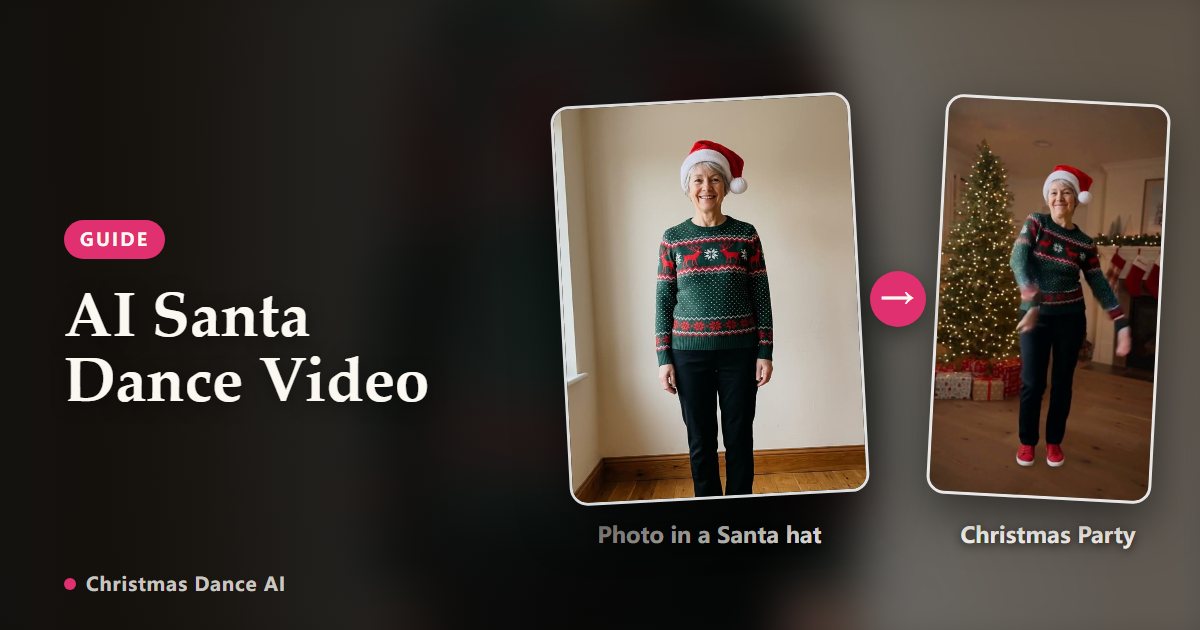
Christmas Dance AI has no Santa costume template, but you can still make a Santa dance video of yourself: take a photo in a Santa suit or hat, choose Christmas Party, which keeps your own outfit, and the AI makes you dance in a decorated living room.
See it in action: the routine and real AI renders
Why Christmas Party, not Elf Dance
Elf Dance replaces your clothes with a full elf costume, so a Santa suit would disappear. Christmas Party keeps the outfit from your photo, so whatever you wear, from a full red suit to just a hat and a red sweater, is what dances.
Take the right photo
One person or one pet, facing the camera, in even light, with head and shoulders visible; a full-body shot helps the costume carry through. JPG, PNG, WebP up to 10 MB.
Keep your face visible. A big fake beard covers most of what the model uses to keep you recognizable, so a short beard or none works better. Skip sunglasses and heavy filters.
Pick a length and make it
Try the 6-second length first to see how the suit comes out, then make the full routine. One credit covers one second, and the credits come back automatically if a render fails.
Loose parts such as a floppy hat tip or a long beard may move a little differently from the rest of the costume. The AI keeps the overall look, not every detail.
Rules for the photo
The person must be an adult who agreed to it, and not a celebrity or public figure. Photos of children are not allowed, so a kid in a Santa hat is a no. A dog in one is fine.
If you want a ready-made Santa scene
Some other tools offer a dedicated Santa template, for example the AI Santa effect on aichristmasdance.com, an unrelated site. Use one of those if you want the costume and set supplied for you; use Christmas Party if you want your own Santa outfit to be the star.
Your Christmas Dance video is a photo or two away
Create my video