Elf Dance With Your Face Online, No App
Last updated:
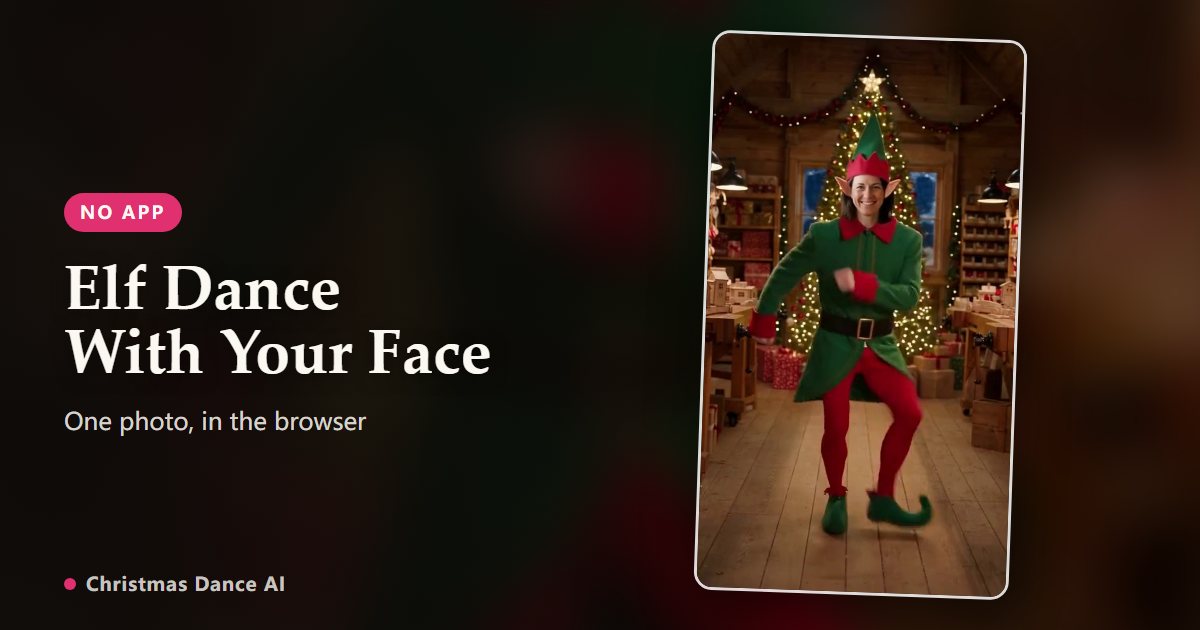
You don’t need to install an app to make an elf dance video with your own face. On Christmas Dance AI, you upload one photo in the browser, pick Elf Dance, and a few minutes later you download a vertical MP4 of you, with your face, hair and build, dancing in a full elf costume in Santa’s workshop. A 6-second video costs $4.99.
See it in action: the routine and real AI renders
Two kinds of elf dance: face on a cartoon, or the whole person
Classic elf dance apps such as ElfYourself and JibJab cut your face out of a photo and stick it on an animated elf. The body is a cartoon and every dancer moves the same way. It is quick, it fits a whole family into one card and the cut-out look is the joke.
AI elf dance works differently: the whole person dances. Christmas Dance AI first dresses the person from your photo in the elf costume inside the opening frame of the routine, then animates that frame move for move. The result looks like a real video of you, not a face on a sticker.
How to make it in three steps
1. Upload one photo (JPG, PNG, WebP, up to 10 MB) from your phone or computer. Nothing to install; it works in Safari, Chrome and other modern browsers.
2. Choose Elf Dance and a length: 6/12/18 seconds. One second costs one credit.
3. Sign in, start the render, and download the MP4 when it is ready. Most videos finish in a few minutes; you can close the page and find the video later under My videos.
Getting your face right
The face in the video can only be as good as the face in the photo. Use a recent, sharp photo of one adult facing the camera in even light, ideally down to the waist. Glasses are fine.
Skip sunglasses, masks, heavy beauty filters, hats pulled low and group shots. Your clothes don’t matter: the elf costume replaces them, so choose the photo where the face looks most like you.
What you get
A vertical 9:16 MP4 without a watermark, sized for TikTok, Reels, Stories and the family chat. Videos are kept for 30 days after they finish, and you can turn on a share link if you want to send a page instead of a file.
If a render fails, the credits come back automatically. AI can still get small things wrong, such as a hand blurring on a fast turn; a brighter, more front-facing photo usually fixes a face that looks off.
Price
Packs start at $4.99 for 6 credits, enough for 1 6-second video. Bigger packs bring it down to $0.36 per second. Pack credits never expire and no subscription is needed.
There is no free render, because each video runs on two paid AI models. The demos on this page are real renders from the same pipeline.
Who can be the elf
Each elf video stars one adult who agreed to it, or one pet. Photos of children, celebrities and public figures are not allowed. Want the whole family? Make one clip per person, one for the dog, and post them one after another.
FAQ
Is there a free elf dance app with your face?
ElfYourself offers some free dances with cut-out faces on cartoon elves. Christmas Dance AI has no free renders; the smallest pack is $4.99 for a 6-second video of your whole body dancing in an elf costume.
Do I need to download an app?
No. Christmas Dance AI runs in the browser on phones and computers. You upload the photo, wait a few minutes and download the MP4.
Can several people dance in one elf video?
No, each elf video stars one adult or one pet. For a family set, make one clip each. For two adults together, use Couple Duo or Kitchen Duo instead.
How long is the elf dance video?
You choose 6/12/18 seconds. The 18-second version is the full routine.
Will it keep my real face?
It keeps your face, hair and build from the photo and swaps your clothes for the elf costume. Results depend on the photo; sharp, front-facing photos work best.
Your Christmas Dance video is a photo or two away
Create my video